Best PDF Compressors in 2026: the buyer's shortlist

By Thien · Maker of ToAny
Published
The best PDF compressor depends on one question: are you happy to upload the file? ToAny is our number one because it compresses in your browser, accepts files up to 400 MiB and has no daily limit. Six hosted alternatives follow, each checked against its own pages. We rank on nine measurable criteria and show where ToAny loses.
Want to see the result before reading on? ToAny's free tool compresses a PDF on your device, with no account. Compress a PDF in your browser
Key Takeaways
- ToAny is the pick if the PDF is private. The file is compressed in your browser and is not uploaded. It accepts up to 400 MiB, has no daily limit and needs no account.
- Hosted tools win on reach. Adobe, Smallpdf and PDF2Go list far more tools than ToAny, and Adobe, Smallpdf, iLovePDF and PDF2Go have apps, an API or both. ToAny has none of those.
- Free tiers differ sharply. Soda PDF allows 2 files a day at up to 3 MB. iLovePDF allows 200 MB per file but 2 files per task, and PDF2Go allows 50 MB without an account.
- Hosted tools hold your file on their side. Stated retention runs from 1 hour at Smallpdf to at most 72 hours at PDF2Go, and Adobe states no period. pdfFiller saves the file to your account.
- Not every PDF shrinks. A file that is already compact may stay the same size. ToAny then returns the original and says so, instead of giving you a larger file.
What PDF compressors actually are (and what they are not)
A PDF compressor makes a PDF file smaller so that it fits an email, a web form or a storage limit. Much of the weight in a PDF often sits in pictures: scans, photos and slide graphics. A compressor shrinks those pictures by lowering their resolution, re-encoding them with a lossy codec such as JPEG, or both. It can also repack the file's internal structure, which saves less but changes nothing you can see.
That is why results vary so much. A scanned contract made of page photographs can shrink a great deal. A text-only report that was exported cleanly has little to give. Controls matter here. Levels, resolution presets and a target size let you trade sharpness for bytes on purpose, rather than accepting whatever the tool picks.
There are two kinds of tool. Hosted compressors upload your file to the vendor's server, process it there and let you download the result. Browser-based compressors do the work on your own device, so the file does not leave it. The difference is who handles the document, and for how long.
A PDF compressor is not an editor, and it is not a repair tool. It will not fix a damaged file or turn a scan into searchable text. It cannot open a password-protected PDF without the password, and some tools ask you to unlock the file first. It also cannot promise a fixed saving. Treat any advertised percentage as a best case, then check the output on a page with small print before you send it.
To find the best PDF compressor, this shortlist covers tools you can use today, from a free web page to a paid suite. We judge them on what they publish about files, limits, price and retention.
How We Ranked These PDF Compressors
We ranked each tool on nine criteria, using only what the vendor or a review platform publishes. Where a number is not stated, the table says so rather than guessing. Prices are quoted as displayed, with currency and billing period.
- Criterion 1Where the file is processedBrowser or vendor server
- Criterion 2Free max file sizeLargest PDF accepted on the free tier
- Criterion 3Free daily limitFiles or tasks per day or per task on the free tier
- Criterion 4Cheapest paid planLowest paid price shown, with currency and billing period as displayed
- Criterion 5Account requiredYes or no for the free tier
- Criterion 6File retentionTime files stay on the vendor's server
- Criterion 7Compression controlsLevels, dpi presets or target size
- Criterion 8PDF tools offeredNumber of tools the vendor lists
- Criterion 9Apps and APIDesktop, mobile or API available
The Best PDF Compressors in 2026
The list runs from first to last in our ranking. ToAny is first because privacy and free limits count most when you compress contracts, payslips and ID scans. It is not the best at everything, and the sections below say where it falls short. Each entry gives the facts we could verify and who the tool suits.
1. ToAny, best for private compression in the browser
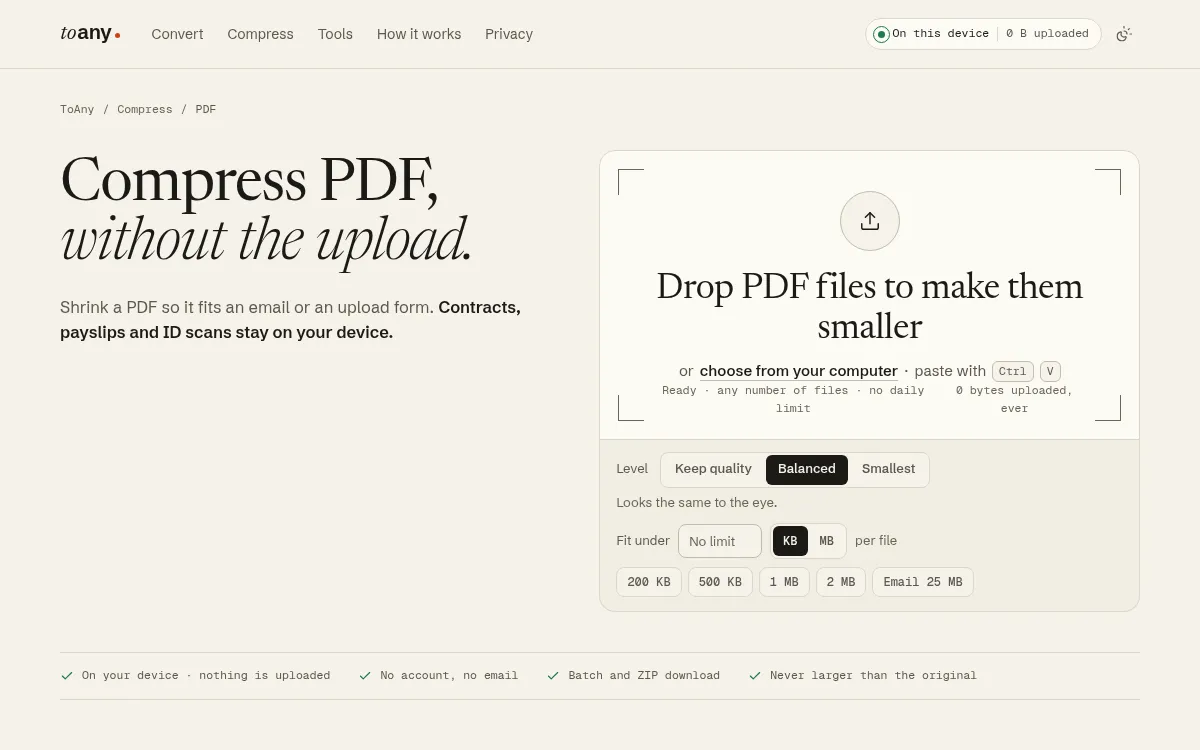
ToAny is the best PDF compressor for private files because it works on your device. Compression runs in the browser and never uses ToAny's conversion server, so a contract or an ID scan is not uploaded. The page shows a live "0 bytes uploaded" counter, and you can confirm it in your browser's Network panel.
The tool accepts PDFs up to 400 MiB. There is no daily limit, no account and no email address, and you can drop several files and download them as a ZIP. Three levels are on offer: Keep quality, Balanced and Smallest. You can also set a fit-under size, with presets from 200 KB to 2 MB and an Email 25 MB preset. The result is never larger than the original. If a file cannot shrink, you get the original back with a reason.
ToAny is free and has no paid tier, so there is no price to compare. It sits within a wider site of 190 formats and 1,195 pairs, plus PDF tools such as merge, split, rotate, protect and unlock. Those PDF tools also run in the browser. A small number of ToAny's other conversions (16 pairs, such as PPTX to PDF) run on its server, but only after you consent to each upload.
Now the weak spots. ToAny has 10 PDF tools plus compress, while Adobe lists 25+ free tools, Smallpdf 30+ and PDF2Go 50 apps. It has no desktop app, no mobile app and no API. It also has no cloud import. Because the work happens on your device, memory is the limit: a PDF with ten 25-megapixel pictures needed about 1.5 GB of renderer memory in our desktop test, and we have not measured phones.
Hitting a tight size target costs picture quality, so check the pages afterwards.
- Processing
- In the browser; compress never uses the server toany.io
- Max input
- 400 MiB per PDF toany.io
- Price
- Free; no account, no email, no paid tier toany.io
- Daily limit
- None on browser conversions toany.io
- Controls
- Keep quality, Balanced, Smallest, and a fit-under size toany.io
- Scale
- 190 formats, 1,195 pairs toany.io
Best suited for: Anyone compressing private documents such as contracts, payslips or ID scans, who wants no upload, no account and no daily cap. It is less suited to people who need a desktop app, an API or cloud storage import.
2. Adobe Acrobat online, best for staying inside the Acrobat ecosystem
Adobe was founded in December 1982 by John Warnock and Charles Geschke and is headquartered in San Jose, California. Its online compressor sits among 25+ free tools that Adobe lists for PDFs and e-signing.
The online tool runs on Adobe's servers. The desktop app, by contrast, compresses locally. Adobe's page says files are deleted unless you sign in to save them, but it states no retention period. Basic compression does not need an account.
Free use is limited, and Adobe does not print the number. Its page says unlimited compression, batch processing and advanced setting controls need a paid Acrobat plan. Smallpdf also withholds its number, so Adobe is not alone in this.
Pricing is shown clearly on Adobe's pricing page. Acrobat Standard is US$24.99/mo on a monthly plan, or US$14.99/mo on an annual plan billed monthly, or US$179.88/yr prepaid. Acrobat Pro is US$29.99/mo monthly and US$239.88/yr prepaid, and Studio is US$34.99/mo monthly. Acrobat Pro has a 7-day free trial.
Adobe is the right comparison point for large organisations already on its software. The company reports 31,360 employees as of November 2025. On reputation, Trustpilot shows Adobe as a whole at 1.1 out of 5 across 7,540 reviews, and that score covers the whole company, not Acrobat specifically.
Against ToAny, Adobe wins on breadth, with 25+ free tools, and on having a local desktop app. It loses on free-tier clarity and on uploading your file for online use. If you only need to shrink a PDF now and then, the paid plans are a lot to commit to.
- Free tools
- 25+ free tools adobe.com
- Acrobat Standard
- US$24.99/mo monthly; US$14.99/mo annual, billed monthly; US$179.88/yr prepaid adobe.com
- Acrobat Pro
- US$29.99/mo monthly; US$239.88/yr prepaid; 7-day free trial adobe.com
- Free limits
- Limited, no number stated; unlimited compression needs a paid plan adobe.com
- Processing
- Adobe servers online; desktop app compresses locally adobe.com
- Trustpilot
- 1.1 / 5 from 7,540 reviews (Adobe company-wide) trustpilot.com
Best suited for: Teams already paying for Acrobat who want one vendor for editing, signing and compression. People who need one quick compression without an upload may prefer a browser-based tool.
3. Smallpdf, best for a polished hosted suite
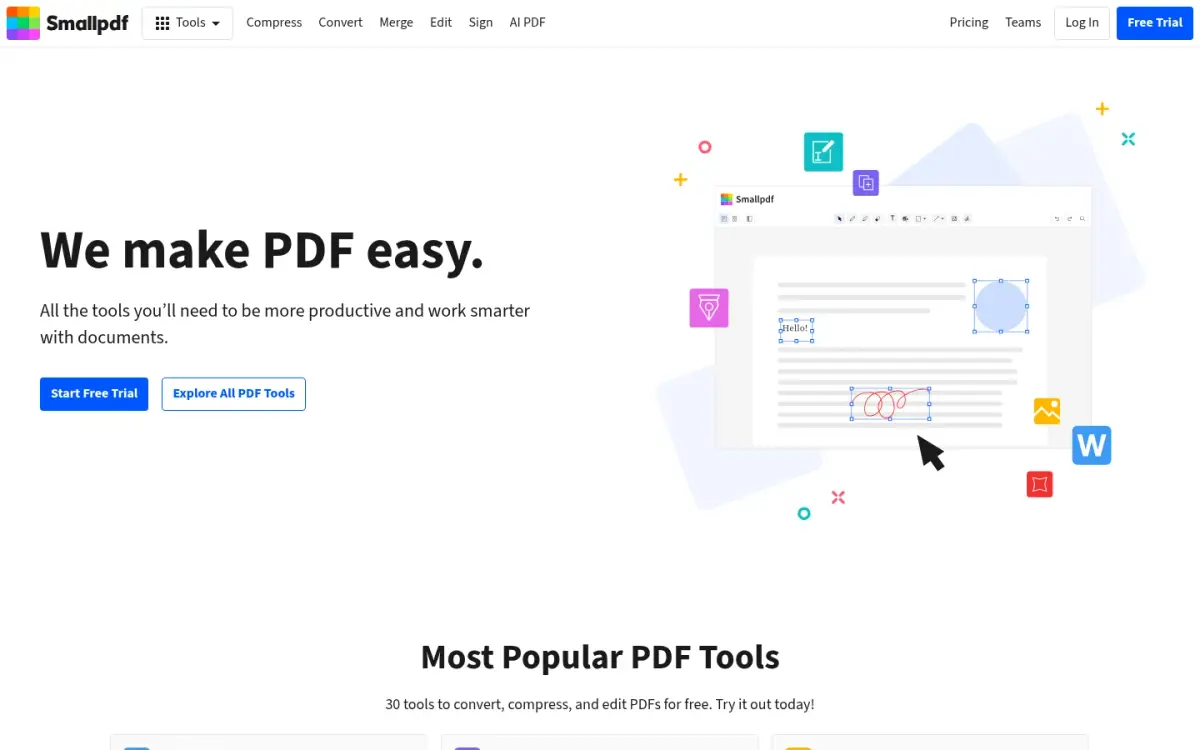
Smallpdf is a Swiss company, founded in 2013, with teams in Zurich and Belgrade. Its tagline is "We make PDF easy." The pricing page lists 30+ document tools, and the site offers web, desktop and mobile access in 24 languages.
Files are uploaded to Smallpdf's servers in Ireland. On free tools, files are deleted after 1 hour. If you keep files in an account, they stay until you delete them and are then removed within 1 hour. Smallpdf states ISO/IEC 27001 certification and compliance with GDPR, CCPA and nFADP.
The free plan is limited. Smallpdf says it has a daily download limit on most tools, and that you wait 24 hours for it to reset, but the exact number is not shown. Pro adds Strong Compression, Edit Text and OCR. A 7-day free trial is offered, and you can cancel any time.
Smallpdf gives no absolute prices in its static pages. A company blog post says the yearly plan is 25% cheaper per month than monthly, so we cannot quote a monthly figure here.
On scale, the about page claims 40+ million monthly users and 100+ million monthly tasks, and the pricing page says it has been trusted by 1.7 billion people since 2013. These are the vendor's own claims. Trustpilot rates Smallpdf 4.8 (Excellent) from 5,278 reviews. The footer also links to Embed PDF and Developers, though we did not read the API terms.
Compared with ToAny, Smallpdf offers a more polished interface, more tools and apps, and strong third-party ratings. It uploads your file, and the free plan caps your daily use, so for private documents or heavy use ToAny is the stronger fit.
- Founded
- 2013, Switzerland smallpdf.com
- Tools
- 30+ document management tools smallpdf.com
- Retention
- Free tools: files deleted after 1 hour smallpdf.com
- Free limit
- Daily download limit on most tools; number not shown smallpdf.com
- Trustpilot
- 4.8 from 5,278 reviews trustpilot.com
- Users claimed
- 40+ million monthly users smallpdf.com
- Trial
- 7-day free trial, cancel anytime smallpdf.com
Best suited for: People who want a polished hosted suite with apps and are fine with uploads and a daily cap. Heavy users will meet the free limit quickly.
4. iLovePDF, best for a hosted suite with an API
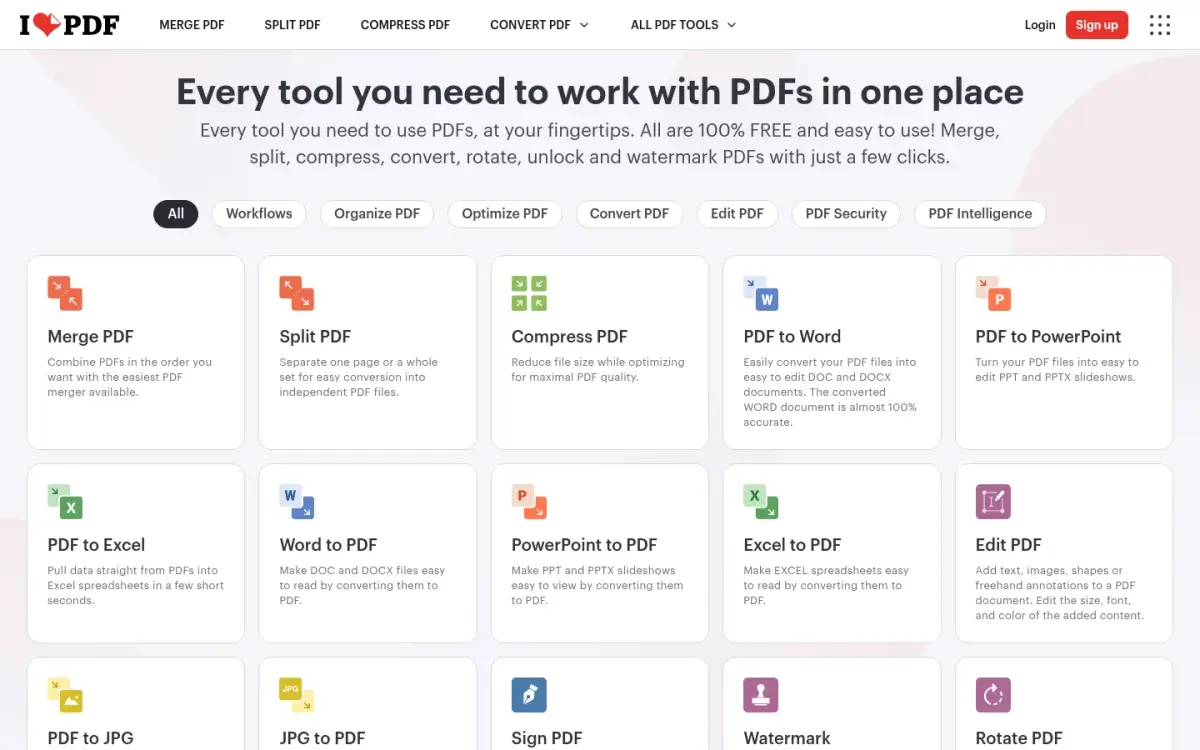
iLovePDF was founded in 2010 and is based in Barcelona. It is the most complete hosted option here for people who want apps and automation. It is available on the web, on Mac and Windows desktops, and on iOS and Android, and it offers an API called iLoveAPI with integrations including Zapier, Make and WordPress.
The free Basic plan has per-task limits. For compression, the file limit is 200 MB and the batch limit is 2 files per task. Premium raises most file limits to 4 GB and most batches to 10. The free plan shows ads, and removing them is a Premium benefit.
Premium was shown at 11 AUD/month billed monthly, or 84 AUD billed annually, which works out to 7 AUD/month. The page appeared to be priced by region, and we did not verify a USD price. Students and academic professionals can get a free year of Premium.
Files are processed on iLovePDF's servers, not in the browser. They are automatically deleted within two hours of processing, and you can delete them manually from the download screen. iLovePDF states ISO/IEC 27001:2022 certification and says it is fully GDPR compliant.
On reputation, iLovePDF reports 16.5 million documents processed every day, and its pricing page cites a 4.9 Trustpilot average. Both figures are self-reported, because Trustpilot returned an error when we tried to check it. The language selector lists 26 options.
Set beside ToAny, iLovePDF wins on apps, API and integrations, and on a 200 MB free file size that does not depend on your device. It loses on privacy, since the file is uploaded, and on the 2-file task limit for compression.
- Founded
- 2010, Barcelona ilovepdf.com
- Free compress limit
- 200 MB per task; 2 files per task ilovepdf.com
- Premium
- 11 AUD/month billed monthly; 84 AUD billed annually (7 AUD/month) ilovepdf.com
- Retention
- Deleted within two hours of processing ilovepdf.com
- Platforms
- Web, desktop (Mac and Windows), mobile (iOS and Android) ilovepdf.com
- API
- iLoveAPI, plus Zapier, Make and WordPress integrations ilovepdf.com
- Scale claimed
- 16.5 million documents processed every day (self-reported) ilovepdf.com
Best suited for: People and teams who want one hosted suite across web, desktop and mobile, with an API for automation. Anyone compressing many files at once on the free plan will hit the 2-file limit.
5. PDF2Go, best for dpi presets and a target size
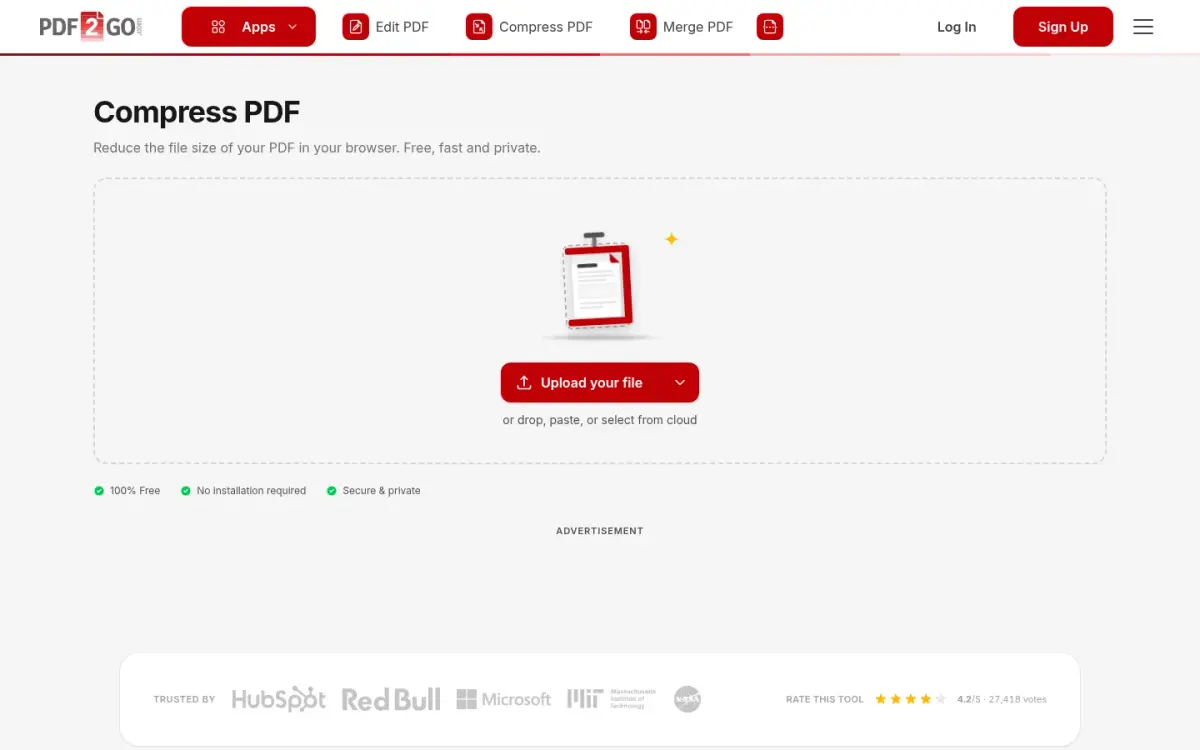
PDF2Go is run by QaamGo Web GmbH in Radolfzell, Germany. Its compressor has the most controls among the free hosted tools here: six quality presets from 20 dpi (Insane) to 300 dpi (Prepress), Grayscale, Remove Images, several PDFs in one go, and a one-click 10 MB email preset. A target file size is also available, but it needs a free account.
Without an account you can upload up to 50 MB. The paid Starter and Pro plans raise the limit to 64 GB and add batch processing, a priority queue and an ad-free experience. Pro adds Zapier and Make automation, a desktop app and 5x AI usage compared with Starter. Free use shows ads.
PDF2Go lists no paid price on the pages we read, other than EUR 5 per additional user per month on any paid plan. A 14-day money-back guarantee applies to all paid plans, and paid apps are free for students and teachers for non-commercial education.
Processing is on PDF2Go's servers, with files stored in Europe. The tool page says "in your browser", but the same page describes uploads and server processing, so treat it as a hosted tool. You can download a file up to 10 times, the link is blocked after 24 hours, and files are physically deleted after at most 72 hours. The vendor says files are not used for AI training.
There is a separate api2convert REST API with SDKs for several languages, and extensions for Chrome, Firefox and Edge. The on-site rating for compress is 4.2/5 from 27,417 votes, which is the site's own rating, not a third party's.
Next to ToAny, PDF2Go has finer dpi control, apps, extensions and an API. It uploads files and keeps them for up to 72 hours.
- Free file size
- 50 MB without an account pdf2go.com
- Compress controls
- Six presets, 20 dpi to 300 dpi; target file size needs a free account pdf2go.com
- Paid limit
- 64 GB on Starter and Pro pdf2go.com
- Retention
- Link blocked after 24 hours; deleted after at most 72 hours pdf2go.com
- Apps
- 50 apps available pdf2go.com
- On-site rating
- 4.2/5 from 27,417 votes (compress) pdf2go.com
- Refund
- 14-day money-back guarantee on paid plans pdf2go.com
Best suited for: Users who want to pick a dpi or a target size and are happy with a hosted tool. Those who need private handling should note the upload and the retention of up to 72 hours.
6. Soda PDF, best for very small jobs
Soda PDF is a registered trademark of Avanquest Software. Its online compress tool is the tightest free tier on this list: 2 files per day, each up to 3 MB. There is no account requirement and no watermark on the free compress tool.
That 3 MB cap is the main thing to weigh. A scanned document or a slide deck can easily pass it, and 2 files a day is not much for a batch. It offers two levels: regular, with an estimated saving of 40%, and high, with a saving of up to 85%. Those are the vendor's estimates, not guarantees.
Files are uploaded to Soda's servers over TLS and are deleted from them within 24 hours, as stated on the merge page. The compress tool says a password-protected PDF must be unlocked first.
Soda PDF's pricing page lists Pro, Team and Business plans. Team covers 3 to 19 licences with a 10% discount per licence, and there is no perpetual licence. Dollar prices do not appear in the page source, where the buttons read "See prices", so we cannot state a price.
The vendor claims more than 425,000 users and 15 site languages. Trustpilot rates it 4.2 from 1,841 reviews. The web app runs on Mac, Linux, iOS and Android, and there is Windows deployment for organisations.
Against ToAny, Soda PDF's free compressor is far more restricted. ToAny takes files up to 400 MiB with no daily limit, and does not upload them.
- Free daily limit
- 2 files per day on free online tools sodapdf.com
- Free max file size
- 3 MB sodapdf.com
- Compression levels
- Regular (estimated 40%) and high (up to 85%) sodapdf.com
- Retention
- Deleted from servers within 24 hours sodapdf.com
- Trustpilot
- 4.2 from 1,841 reviews trustpilot.com
- Users claimed
- More than 425,000 users (self-reported) sodapdf.com
Best suited for: Someone with a small PDF and a one-off need, who does not want to create an account. Anyone with larger files or more than 2 a day needs a paid plan or another tool.
7. pdfFiller, best for people already in pdfFiller
pdfFiller belongs to airSlate, which also makes signNow and US Legal Forms and acquired DocHub in 2022. pdfFiller's first PDF Editor build was released to the public in 2008. The compressor is one feature of a document workspace, not a stand-alone utility.
A pdfFiller account is required to compress. The tool accepts a PDF up to 100 MB (1,500 pages), and other document types up to 25 MB. It offers three quality levels, High, Good and Low, and shows an estimated output size before you save. The vendor says there is no watermark on compressed PDFs.
Privacy needs care here. The page says the process "runs in your browser", but the document and its compressed copies are saved to your pdfFiller workspace. The page does not say whether bytes are uploaded to servers, so treat it as account-based storage rather than private local processing. Files stay saved and synced in your account, with no retention window stated.
The homepage offers a free 30-day trial. The permanent free-tier limits and the price could not be retrieved, because the payment page redirects to a login, so we cannot state a price.
On reputation, the homepage claims 4.6/5 on 797+ G2 reviews and 56 million users. The vendor's schema.org markup shows 4.6 from 19,776 reviews, with no platform named. The iOS app is rated 4.5 from 9,087 ratings on the App Store, and free iOS and Android apps are available. The vendor lists security claims of SOC 2 Type II, GDPR and HIPAA compliance.
Where ToAny trails, pdfFiller wins on workspace features and mobile apps. It requires an account and stores your files.
- Free max file size
- PDF up to 100 MB (1,500 pages) compress-pdf.pdffiller.com
- Account
- A pdfFiller account is required to compress compress-pdf.pdffiller.com
- Quality levels
- High, Good and Low, with estimated output size compress-pdf.pdffiller.com
- G2
- 4.6/5 on 797+ G2 reviews (homepage claim) pdffiller.com
- Users claimed
- 56 million users (homepage) pdffiller.com
- App Store
- 4.5 from 9,087 ratings apps.apple.com
- Trial
- Free 30-day trial offered on the homepage pdffiller.com
Best suited for: People who already keep their documents in pdfFiller and want compression inside that workspace. It is a poor fit if you do not want a document stored in an account.
Side-by-Side Comparison
The table repeats our nine criteria for each tool, in rank order. Cells say "Not stated" where the vendor does not publish a figure. Note the rows where ToAny loses: tools offered, and apps and API.
| Product | Where the file is processed | Free max file size | Free daily limit | Cheapest paid plan | Account required | File retention | Compression controls | PDF tools offered | Apps and API |
|---|---|---|---|---|---|---|---|---|---|
| ToAny | Your browser | 400 MiB (device memory applies) | None | Free, no paid plan | No | Not uploaded | 3 levels, fit-under size | 10 PDF tools plus compress | None |
| Adobe Acrobat online | Adobe servers (desktop app local) | Not stated | Limited, no number | US$14.99/mo (Standard, annual, billed monthly) | No | Deleted unless you save; period not stated | Advanced controls on paid plans | 25+ free tools | Desktop app; API not stated |
| Smallpdf | Vendor server (Ireland) | Not stated | Daily limit, number not shown | Not stated | Not stated | Deleted after 1 hour | Strong Compression is Pro | 30+ tools | Web, desktop, mobile |
| iLovePDF | Vendor server | 200 MB per task | 2 files per task | 11 AUD/month billed monthly | Not stated | Deleted within 2 hours | Not stated | Not stated | Desktop, mobile, API |
| PDF2Go | Vendor server (Europe) | 50 MB without account | Not stated | Not stated | No (target size needs one) | Deleted within 72 hours at most | 6 presets, 20 to 300 dpi, target size | 50 apps | Desktop (Pro), extensions, API |
| Soda PDF | Vendor server | 3 MB | 2 files per day | Not stated | No | Deleted within 24 hours | Regular and high | Not stated | Web app; API not stated |
| pdfFiller | Saved to your account | 100 MB (account required) | Not stated | Not stated | Yes | Kept in account; no period | 3 quality levels | Not stated | Free iOS and Android apps |
Which PDF compressor fits your use case
Match the job to the tool. The right pick often turns on whether the document is private and how large it is.
| If you are... | Pick | Why |
|---|---|---|
| Sending a contract, payslip or ID scan | ToAny | The file is compressed on your device and is not uploaded. |
| Squeezing a big scan under a form's size cap | ToAny | Accepts up to 400 MiB and has a fit-under size field. |
| Working in a hosted suite on phone and desktop | iLovePDF | Has desktop and mobile apps, plus an API. |
| Wanting to choose a dpi | PDF2Go | Six presets from 20 to 300 dpi; target size with a free account. |
| Already paying for Acrobat | Adobe Acrobat online | Fits the same ecosystem, with a local desktop app. |
| Compressing one tiny file now | Soda PDF | No account, though the free tier is 2 files a day at up to 3 MB. |
What results look like with ToAny
These are measurements from our own compress research, run as a prototype on an Apple M4 Pro, not a re-run of the live page. They are not user telemetry or customer stories. Results vary by file, and we include a case where nothing shrank.
- Scanned document (Internet Archive)6,528 KB420 KB93.6% smaller at Balanced in our test of the ia-scan-willyfog file.
- Slide deck at Balanced10,553 KB2,376 KB77.5% smaller on the nasa-deck-telerobotics file at Balanced.
- Same deck, fit under 1 MB10,553 KB911 KBThe target was met, at a cost: 50 ppi and a lowest page similarity score of 0.781.
- Shorter slide deck493 KB101 KB79.5% smaller on the jeffdean-slides file at Balanced.
- Tagged report that does not shrink3,016 KB3,016 KBNo method beat the original on irs-p17, so ToAny returns it unchanged. Never larger is the rule.
Frequently Asked Questions
What is the best PDF compressor in 2026?
For private files, ToAny, because it compresses in your browser with no upload, no account and no daily limit. For apps and an API, iLovePDF is the strongest hosted option on this list.
How can I compress a PDF without uploading it?
Use a tool that runs in your browser, such as ToAny's Compress PDF. The file stays on your device, and you can check the Network panel to confirm. Hosted tools such as Smallpdf, iLovePDF and Soda PDF upload your file to their servers.
How do I reduce a PDF file size to fit under a limit?
ToAny has a fit-under field with presets from 200 KB to 2 MB and an Email 25 MB preset. PDF2Go also offers a target size, but it needs a free account. A very tight target lowers picture quality, so check the result.
How long do online PDF compressors keep my file?
Smallpdf deletes free-tool files after 1 hour and iLovePDF within two hours. Soda PDF says within 24 hours, and PDF2Go deletes files after at most 72 hours. Adobe states no period, and pdfFiller keeps files in your account.
What are the free limits of the main free PDF compressors?
Soda PDF allows 2 files a day at up to 3 MB, and iLovePDF allows 200 MB per file with 2 files per task. PDF2Go allows 50 MB without an account, and ToAny accepts up to 400 MiB with no daily limit.
Why did my PDF not get smaller?
A PDF that is already compact, or mostly text, has little to remove. ToAny then returns the original and tells you why, rather than giving you a larger file. In our tests a tagged report of 3,016 KB did not shrink.
Does compressing a PDF reduce its quality?
It can. Lower levels shrink pictures by reducing resolution and re-encoding them, which can soften small print. ToAny's Keep quality level is its gentlest setting, and the page describes it as looking the same to the eye.
What does ToAny not do that the others do?
ToAny has no desktop or mobile app, no API and no cloud import, and it offers 10 PDF tools plus compress. Very large files can also hit your device's memory limit, which hosted tools avoid.
Try ToAny for free (no account required)
Compress your PDF on your own device. The file is not uploaded, and you do not need an account or an email address.
Pick Keep quality, Balanced or Smallest, or set a size to fit under. If the file cannot get smaller, you get the original back.
When you are ready, compress your first PDF now.