Best Free PDF Tools in 2026: the buyer's shortlist

By Thien · Maker of ToAny
Published
The best PDF tools are the ones that do your job without a daily limit, an account or a copy of your file on someone else's server. ToAny ranks first on those terms: ten PDF tools plus compress, free, running in your browser.
We compare it with six rivals on price, processing location, tool count, free limits, ads, apps and OCR. Where a rival beats ToAny, the table says so.
Want to skip the reading? Open the PDF tools: merge, split, rotate, unlock and more, free, in your browser.
Key Takeaways
- Where the file is processed is the first thing to check. ToAny runs its PDF tools in your browser, PDF24 Creator runs on your PC, and iLovePDF, Smallpdf and Adobe process online files on their servers.
- Free does not mean the same thing everywhere. PDF24 and PDFgear are presented as free, while iLovePDF, Sejda, Smallpdf and Adobe limit what the free tier does and sell a paid plan on top.
- ToAny has the narrowest toolbox. It offers 10 PDF tools plus compress, against 30+ at PDFgear, Sejda and Smallpdf and 25+ at Adobe, and it has no OCR or text editing.
- ToAny states no daily limit, but a run is capped at 300 MB of input in total on desktop and 100 MB on touch devices. Sejda's free desktop tier allows 3 tasks a day, and Smallpdf states a daily limit without giving the number.
- iLovePDF shows ads on the free plan, and PDFgear says it shows none. PDFgear, iLovePDF, Sejda and Smallpdf all ship apps, which ToAny does not.
What free PDF tools actually are (and what they are not)
Free PDF tools are small utilities that do one whole-file job on a PDF: join several files, cut one into pieces, shrink it, rotate it, add or remove a password, stamp page numbers. Some come as a website, some as an installed app, and many suites offer both.
The word free hides three different arrangements. In the first, the tool is free with no strings, as with PDF24 and PDFgear as presented by their vendors. In the second, a free tier sits in front of a paid plan and is limited by tasks, pages, hours or file size. In the third, a trial sits beside a limited free plan, as at Smallpdf. Read the limits before you rely on a tool for a deadline.
The second thing to check is where your file goes. A browser tool can process the PDF on your own device. A hosted tool uploads it, processes it on the vendor's server and deletes it after a stated period, which runs from 20 minutes to two hours in the vendors that state a period. For a contract, a payslip or a medical form, that difference matters more than any feature.
A free PDF tool is not a full PDF editor. Changing the text inside a page, running OCR on a scan or signing a document needs an editor, and some vendors here sell those features in a paid plan or an app. ToAny does not offer them at all and says so.
Nor is it a converter by default. PDF to Word is a different job, and it is the one where results vary most between products. This guide picks the best PDF tools for whole-file jobs and compares them on price, location, tool count, limits, ads, apps and OCR.
How We Ranked These Free PDF Tools
We ranked seven products on six criteria that can be checked without opinion. Every figure comes from the vendor's own pages, an app store, a named review platform or, for Adobe's company history, Wikipedia, read on 17 October 2026.
Where a page does not state a value, the table says "Not stated". We did not fill gaps with guesses, and we did not time the tools, because speed depends on your device and your files.
- Criterion 1PriceFree, or the cheapest paid price as displayed (currency as shown)
- Criterion 2Where the file is processedBrowser, local app or vendor server
- Criterion 3Tool countNumber of tools the vendor lists
- Criterion 4Free-tier limitsTasks, pages or size on the free tier
- Criterion 5Ads on the free tierWhether the vendor shows ads
- Criterion 6Apps and OCRDesktop or mobile apps; OCR or text editing
The Best Free PDF Tools in 2026
The order below follows the criteria above, with price, privacy and limits weighted most. ToAny is first, and it is our own product, so check the claims against the sources under each entry. Rivals beat it on points that matter: tool count, apps, OCR and, in one case, free limits. We say so in each entry and in the table.
1. ToAny, best for private, no-upload PDF work in the browser
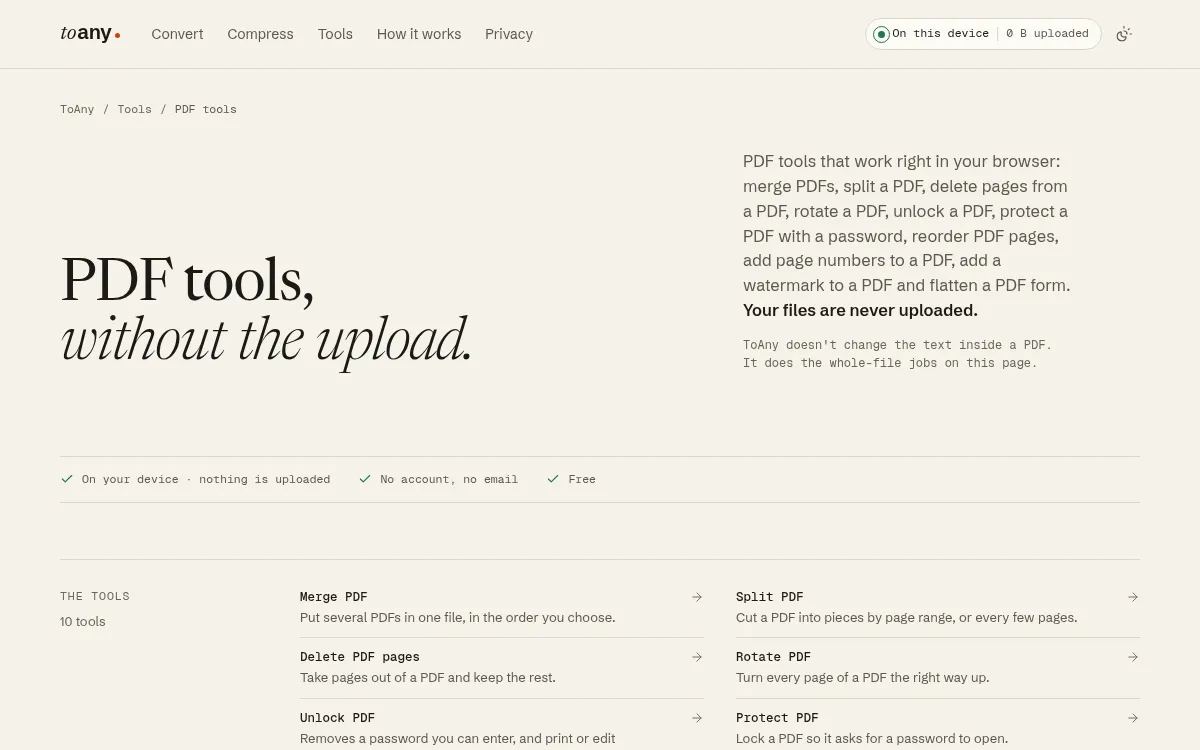
ToAny is our own product, so weigh this entry with that in mind. Among the best PDF tools for private files, its case is privacy rather than breadth. The PDF tools page lists 10 tools: merge, split, delete pages, rotate, unlock, protect, reorder pages, add page numbers, add a watermark and flatten. Compress PDF is a separate page, and ToAny also has PDF to JPG, PDF to PNG, PDF to text and JPG to PDF pages.
Everything above runs in your browser. No PDF tool uses ToAny's conversion server, and passwords typed for protect and unlock stay in browser memory. You can check this in the Network panel of your browser. ToAny also runs a small number of document conversions on its own server, 16 pairs out of 1,195, but only after you consent to each upload, and none of them is on the PDF tools page.
It is free, with no account, no email and no Pro tier. It states no daily limit. The limit is your device: a run takes up to 300 MB of input in total on desktop and 100 MB on touch devices. Merge accepts up to 100 files, split makes up to 1,000 pieces, and compress takes up to 400 MiB. At the time of writing, ToAny shows no ads, though its terms reserve the right to show them later.
The gaps are real. ToAny has no OCR, does not change the text inside a PDF, has no desktop or mobile app and no API, and its tool count is the lowest in this list. It loads each tool on first use, so it needs a network connection. PDF to Word is not a strength either: the output is positioned text boxes that are readable but weakly editable.
- Price
- Free, no account, no email, no Pro tier toany.io
- PDF tools
- 10 tools on the PDF tools page, plus Compress PDF toany.io
- Where processed
- In the browser; no PDF tool uses the server toany.io
- Run cap
- 300 MB total input on desktop, 100 MB on touch devices toany.io
- Merge limit
- Up to 100 files per run toany.io
- Formats and pairs
- 190 formats, 1,195 pairs; 16 pairs on ToAny's server, only after consent toany.io
Best suited for: Anyone with private documents who needs a quick whole-file job such as merge, split, rotate, unlock or compress and does not want to upload or sign up. It is a poor fit if you need OCR, text editing, an app or an API.
2. PDF24, best for a free all-rounder with an offline app
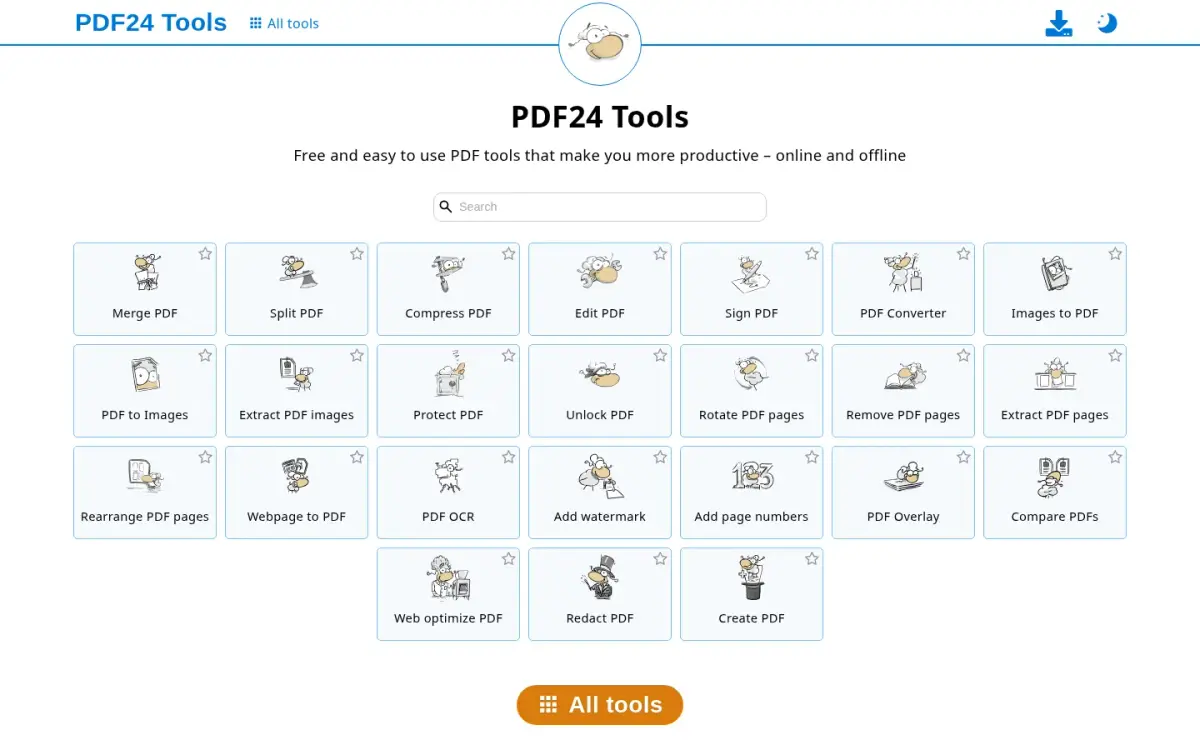
PDF24 is a free suite from geek software GmbH in Berlin, Germany. The company says the project dates from 2006, and its About page speaks of millions of people using it. It names Stefan Ziegler as the person who drives and develops it, but it does not name founders.
The tool list reads like a full toolbox. It includes Protect PDF, Unlock PDF, Compress, Merge, Split, Sign, Edit, OCR, Redact and Compare, so it covers three things ToAny does not: editing, OCR and redaction. We did not find a paid plan on the pages we read, and the Creator page says it is free of charge and without restrictions.
There are two ways to use it, and they treat your file differently. The web tools upload your file to servers in the EU. The privacy policy says uploads are usually deleted one hour after upload or after the result is created, and the help centre repeats the one-hour figure. PDF24 Creator is a desktop app for Windows only, and it processes files locally on your PC, so it works offline.
The trade-offs are mostly about ads and platforms. The Creator page shows ads marked as advertisements, and we could not find out whether the installed app shows any. There is no Mac or Linux version of the desktop app in the pages we read, and the web tools need an upload.
The web tools state no numeric limits on the pages we read, and we could not confirm that none exist, so the table says "Not stated" for them. Choose PDF24 over ToAny when you need OCR, editing or an offline app on Windows. Choose ToAny when the file must not leave your device and you are not on Windows.
- Price
- Free (PDF24 Creator); no paid plan found on pages read tools.pdf24.org
- Where processed
- Creator: local on PC. Web tools: upload to EU servers tools.pdf24.org
- Retention
- Web uploads usually deleted one hour after upload or result creation pdf24.org
- Platforms
- Desktop app is Windows only; web tools in the browser tools.pdf24.org
- Founded
- 2006, geek software GmbH, Berlin, Germany pdf24.org
- Ads
- Ads shown on the Creator page; installed app not stated tools.pdf24.org
Best suited for: Windows users who want a free suite with OCR, editing and an offline app. It is less suited to people on Mac or Linux who want the desktop experience, or to anyone who cannot upload a file to a vendor's servers.
3. PDFgear, best for a cross-platform suite without sign-up
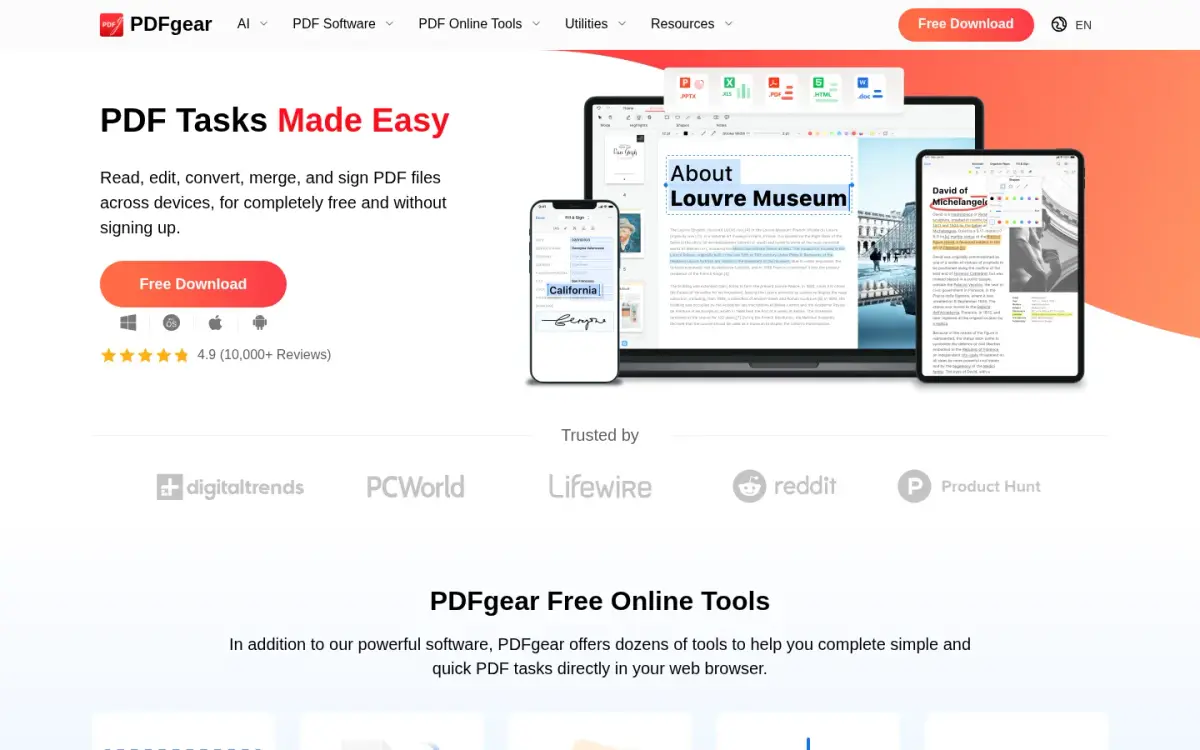
PDFgear is a free PDF suite from PDF GEAR TECH PTE. LTD. in Singapore. The About page dates the first version to 2022; the company's founding year is not stated. The homepage presents it as completely free and without signing up, and its structured data lists a price of 0 USD.
It has the broadest platform reach here. The apps cover Windows, Mac, iPhone and iPad, and Android and a Chrome extension have store listings. The online tools hub advertises 30+ tools. The vendor says it does not display ads and that investment covers its operating costs.
Ratings are strong but come from the vendor and the stores. The homepage claims 4.9 from 10,000+ reviews without naming the source. The Apple App Store shows 4.7 from 8,842 ratings, and Google Play shows 4.7 stars from 48.7K reviews with 1M+ downloads.
Privacy depends on the tool. The online Unlock PDF tool runs in the browser with no upload, no limit on size, number or page count, and no watermark. Online Compress PDF is different: the file goes to Amazon cloud servers in the US and is deleted 20 minutes after leaving the site. That mix is why you should check each tool rather than the whole suite.
The caveat is the future. The vendor says it is considering charging for advanced features, with no timeline, and the 2025 milestone on its About page mentions some features shifting to paid options. PDFgear beats ToAny on tool count, apps and the stated absence of limits for Unlock. ToAny is the pick when every tool, compress included, must stay on your device.
- Price
- Free; homepage structured data lists 0 USD pdfgear.com
- Tools
- Online tools hub advertises 30+ tools pdfgear.com
- Unlock PDF
- In the browser, no upload; no limit on size, number or pages pdfgear.com
- Compress PDF
- Uploaded to Amazon cloud servers in the US; deleted 20 minutes after leaving the site pdfgear.com
- Platforms
- Windows, Mac, iPhone, iPad; Android and Chrome extension listed pdfgear.com
- Google Play
- 4.7 stars, 48.7K reviews, 1M+ downloads play.google.com
Best suited for: People who want one free suite across Windows, Mac and phones, with editing and many tools behind a no-sign-up front door. It suits you less if you need every tool to stay off a server, or if a possible future paid tier worries you.
4. iLovePDF, best for a hosted suite with an API
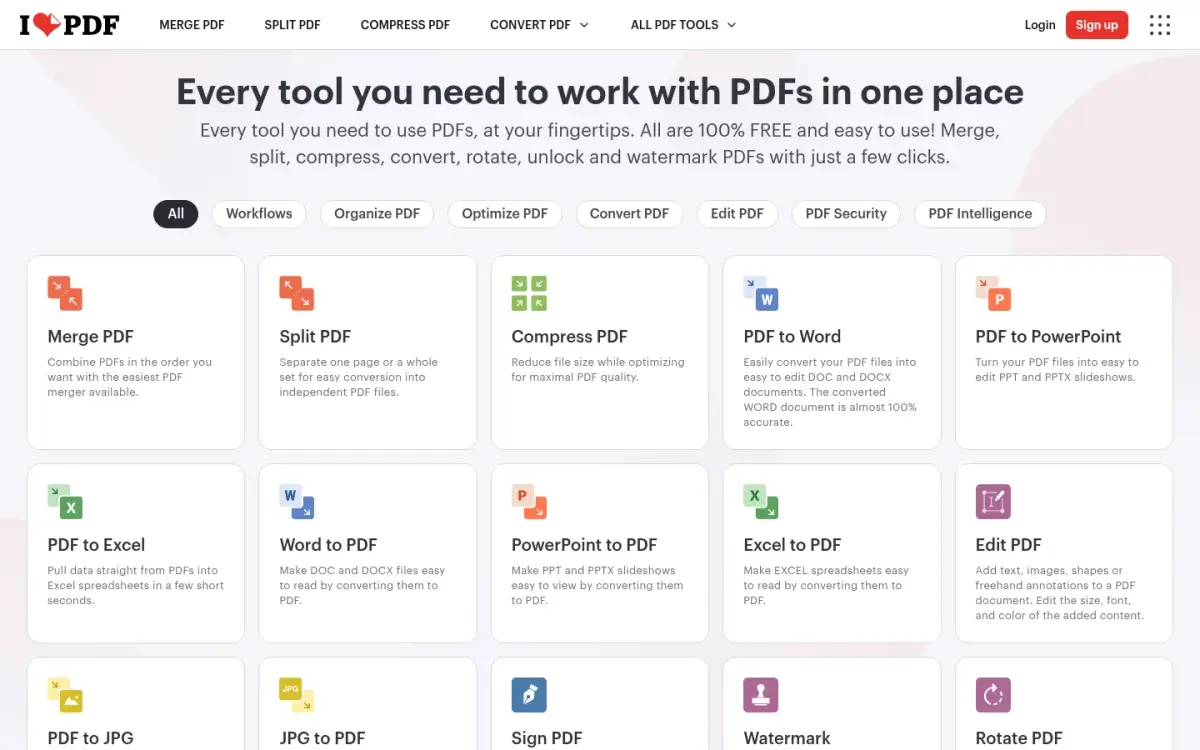
iLovePDF is a hosted PDF suite founded in 2010 and based in Barcelona. It reports 16.5 million documents processed every day, which is a self-reported figure, and its pricing page quotes a 4.9 Trustpilot average. We could not open Trustpilot itself, so treat that rating as the vendor's claim.
The free Basic plan gives limited tools and limited document processing, and the limits are listed per task. Merge allows 100 MB and 25 files. Compress allows 200 MB and 2 files. Unlock and Protect allow 100 MB and 2 files each. Office, PDF-to-Office and OCR tasks are capped at 15 MB. The free plan shows ads, and removing them is a Premium benefit.
Premium is shown as 11 AUD a month billed monthly, or 84 AUD billed annually, which the page equates to 7 AUD a month. The prices looked geo-priced, and we did not verify a US dollar figure. Premium raises most file limits to 4 GB, adds unlimited processing, digital signatures, workflows and 2.000 AI credits, and students and academics can get a free year.
Files are uploaded and processed on iLovePDF's servers. They are deleted automatically within two hours of processing, and you can delete them yourself from the download screen. The vendor holds ISO/IEC 27001:2022 certification and states it is fully GDPR compliant. Signed documents are kept for up to 5 years.
It ships web, desktop (Mac and Windows) and mobile (iOS and Android), offers an API called iLoveAPI, and supports 26 languages by our count. Set beside ToAny, it offers more apps, an API, integrations, OCR and tool depth. It costs more, caps files per task and needs the upload step.
- Price
- Basic free; Premium 11 AUD/month billed monthly, 84 AUD billed annually ilovepdf.com
- Free limits
- Merge 100 MB, 25 files; Compress 200 MB, 2 files; Unlock and Protect 100 MB, 2 files ilovepdf.com
- Where processed
- Server-side; files uploaded to iLovePDF servers ilovepdf.com
- Retention
- Deleted automatically within two hours of processing ilovepdf.com
- Founded
- 2010, Barcelona ilovepdf.com
- Platforms
- Web, desktop (Mac and Windows), mobile (iOS and Android) ilovepdf.com
Best suited for: People who want a familiar hosted suite with apps and an API, and are happy with ads and per-task limits on the free plan. It is less suited to confidential files or large batches without paying.
5. Sejda, best for scanned documents with built-in OCR
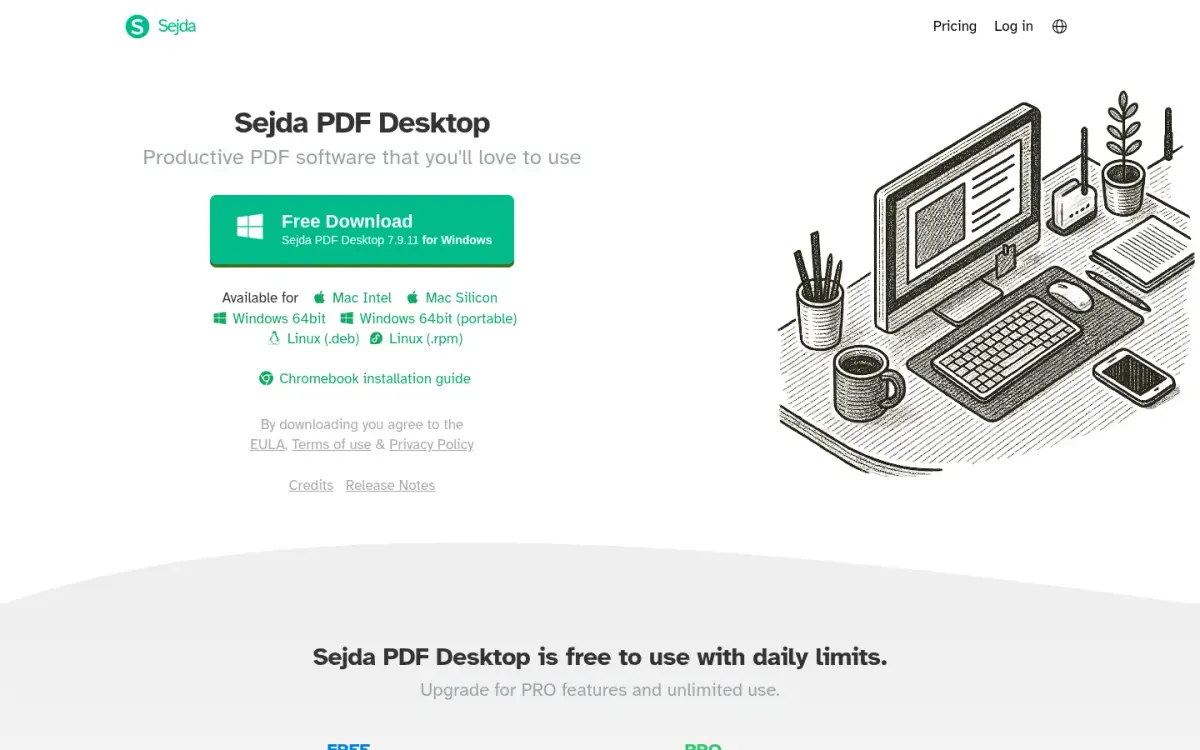
Sejda is made by Sejda BV in Amsterdam, the Netherlands. It started in 2010 as an open source project, and its About page claims 30+ PDF tools. The homepage shows 4.5 from 1,874 Google reviews, a figure the vendor claims and that we did not verify on Google.
It comes in two forms with different privacy. Sejda Web uploads files and processes them on Sejda's servers. Sejda Desktop processes files on your computer, works offline and runs on Mac, Windows and Linux. The privacy policy says web files are deleted after processing and shared links last 7 days.
The free web tier is described as forever free with no signup, but with page and hourly limits, limited uploads and tool-specific limits, and the page gives no numbers. The free desktop tier is clearer: 3 tasks a day, documents up to 50 MB and 200 pages, compress up to 100 MB and OCR up to 10 pages.
Paid plans are shown in Australian dollars for our location. Web-only monthly is A$12.50 per user per month. The Desktop plus Web annual plan is A$99 per user per year and is labelled as saving 30% over monthly. Short passes also exist: a Web Week Pass at A$8 and a Desktop Week Pass at A$12.95, both one-time for 7 days. Paid web plans allow uploads up to 500 MB per file and OCR up to 100 pages.
One privacy detail to know: desktop products contact Sejda's servers for licensing and update checks, sending product version, hostname, username and IP address. Automatic error reports, which can include file names, can be turned off. Sejda offers OCR, offline use and a longer tool list than ToAny. In return it charges for the full set and limits free desktop use to 3 tasks a day.
- Price
- Web-only A$12.50 per user per month; Desktop+Web annual A$99 per user per year sejda.com
- Free desktop tier
- 3 tasks per day; documents up to 50 MB and 200 pages; OCR up to 10 pages sejda.com
- Free web tier
- No signup, with page and hourly limits; no numbers given sejda.com
- Where processed
- Desktop: local. Web: uploaded to Sejda's servers sejda.com
- Tools
- About page claims 30+ PDF tools sejda.com
- Founded
- 2010, started as an open source project; Amsterdam, the Netherlands sejda.com
Best suited for: People who need OCR or an offline desktop app and are happy to work within a daily task limit or pay. It is less suited to heavy free use, where the task and page limits will get in the way.
6. Smallpdf, best for the widest hosted tool menu
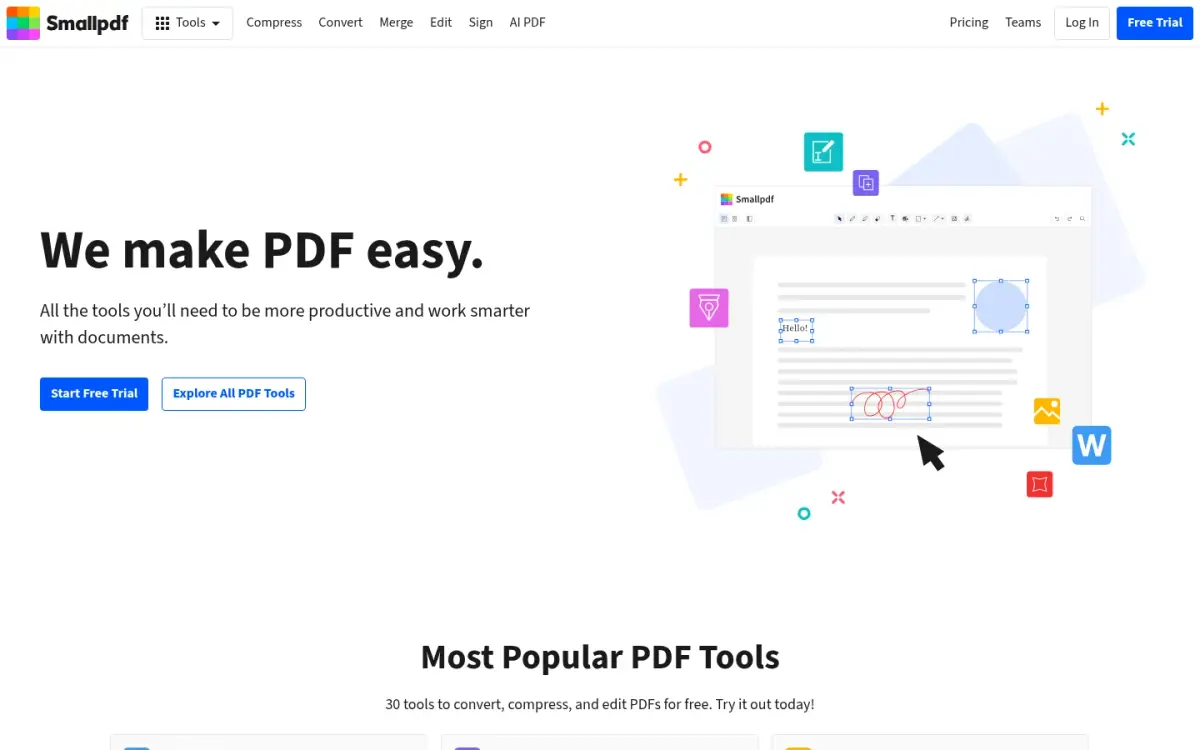
Smallpdf was founded in 2013 and is run by Smallpdf AG in Switzerland, with teams in Zurich and Belgrade. Its About page claims 40+ million monthly users and 100+ million monthly tasks, and the pricing page says it has been trusted by 1.7 billion people since 2013. These are self-reported. Trustpilot shows 4.8 from 5,278 reviews.
The pricing page lists 30+ document management tools, and a vendor blog post says 40+. The About page says 20+ PDF tools. The vendor's own numbers differ by page, so use the lowest as the safe reading. It is available in 24 languages on web, desktop and mobile.
The plans are Free, Pro, Team for 2 to 19 seats and Business for 20 or more. Pro starts with a 7-day free trial, and you can cancel any time. The free plan has limited downloads and a daily limit on most tools, with the exact number not shown. Strong Compression, Edit Text and OCR are Pro features. The yearly plan is 25% cheaper per month than monthly, but the absolute prices were not readable in the pages we fetched.
Files are uploaded to servers in Ireland and deleted after one hour on the free tools. The vendor is ISO/IEC 27001 certified and states GDPR, CCPA and nFADP compliance. Pro users see no ads, and the pages we read do not say whether the free tier shows them.
Smallpdf is a familiar name for teams. The cost is that free use is capped by a daily limit, which its blog says resets after 24 hours, and Edit Text and OCR sit in Pro. Compared with ToAny, it has the longer tool list, apps, OCR and the stronger brand. It also uploads your file, applies a daily limit and leads with a trial.
- Plans
- Free; Pro with 7-day free trial; Team (2-19 seats); Business (20+) smallpdf.com
- Free limits
- Limited document downloads; daily download limit on most tools; number not shown smallpdf.com
- Tools
- 30+ document management tools (pricing page) smallpdf.com
- Where processed
- Server upload; servers in Ireland; free-tool files deleted after 1 hour smallpdf.com
- Trustpilot
- 4.8 from 5,278 reviews trustpilot.com
- Founded
- 2013, Switzerland (Smallpdf AG) smallpdf.com
Best suited for: Teams and individuals who want a polished hosted suite and are willing to pay for Pro once the daily limit bites. It is less suited to confidential files or to anyone who needs unlimited free runs.
7. Adobe Acrobat online, best for brand trust and Acrobat fidelity
Adobe's online tools carry the name of the company behind Acrobat. The Acrobat online page lists 25+ free tools, including merge, compress and Protect PDF. Adobe was founded in December 1982 by John Warnock and Charles Geschke, is headquartered in San Jose, California, and had 31,360 employees in November 2025.
The free tools are described as free with limited use, and no numbers are stated. Merge takes up to 100 files, each limited to 500 pages. Unlimited compression, batch processing and advanced settings need a paid plan. Basic compression does not require an account.
Online tools run on Adobe's servers. Files are deleted unless you sign in to save them, and no retention period is stated, so treat that as unknown. The desktop app compresses locally, which is a different product from the free online tool.
Paid pricing is shown in US dollars on the pricing page. Acrobat Standard is US$24.99 a month on the monthly plan, or US$14.99 a month on the annual plan billed monthly, or US$179.88 a year prepaid. Pro is US$29.99 a month, or US$239.88 a year prepaid, and Studio is US$34.99 a month. Acrobat Pro has a 7-day free trial. Acrobat Reader is free.
A caution on reputation. Trustpilot shows 1.1 out of 5 from 7,540 reviews for Adobe, but that score covers the whole company and not Acrobat alone, so it says little about the PDF tools. We use it only as context.
Adobe has the longer tool list and the desktop app. Past the free tools it costs more, and its free online tools upload your file.
- Free tier
- 25+ free tools; free online use is limited; no number stated adobe.com
- Acrobat Standard
- US$24.99/mo monthly; US$14.99/mo annual billed monthly; US$179.88/yr prepaid adobe.com
- Acrobat Pro
- US$29.99/mo monthly; US$239.88/yr prepaid; 7-day free trial adobe.com
- Merge limits
- Up to 100 files, each limited to 500 pages adobe.com
- Where processed
- Online tools on Adobe servers; desktop app compresses locally adobe.com
- Trustpilot
- 1.1 / 5 from 7,540 reviews (Adobe company-wide, not Acrobat specific) trustpilot.com
Best suited for: People who already have an Adobe plan or want the vendor behind the format for a one-off job. It is less suited to anyone who wants unlimited free use or does not want files uploaded.
Side-by-Side Comparison
The table repeats the six criteria in rank order. ToAny leads on where the file is processed and is free, like PDF24 and PDFgear. It trails on tool count, apps and OCR, and PDFgear Unlock states no size limit.
| Product | Price | Where the file is processed | Tool count | Free-tier limits | Ads on the free tier | Apps and OCR |
|---|---|---|---|---|---|---|
| ToAny | Free | Browser | 10 PDF tools plus compress | 300 MB per run (100 MB on touch); no daily limit | None shown at time of writing | No apps, no OCR |
| PDF24 | Free | Web: EU servers. Creator: your PC | Not stated | Not stated | On the Creator page | Windows app; OCR listed |
| PDFgear | Free | Unlock: browser. Compress: US server | 30+ online tools | Unlock: no limit | None, per vendor | Windows, Mac, iOS, Android |
| iLovePDF | Free; Premium 11 AUD/month | Vendor server | Not stated | Merge 25 files; Compress 2 files | Yes | Desktop and mobile apps; OCR |
| Sejda | Free; A$12.50/month web | Web: server. Desktop: local | 30+ | Desktop 3 tasks/day | Not stated | Desktop on 3 systems; OCR |
| Smallpdf | Free; Pro after 7-day trial | Vendor server (Ireland) | 30+ | Daily limit, number not shown | Not stated | Web, desktop, mobile; OCR in Pro |
| Adobe Acrobat online | Free tools; Standard US$14.99/month annual | Adobe servers online | 25+ free tools | Limited, not stated | Not stated | Desktop app; Reader free |
Which free PDF tool fits your use case
Match the job to the constraint. If the file is private, start with the tools that run on your device. If you need editing or OCR, accept the trade-offs below.
| If you are... | Pick | Why |
|---|---|---|
| Handling a contract, payslip or medical form | ToAny | The PDF tools run in the browser, so the file stays on your device. |
| On Windows and want an offline suite | PDF24 | PDF24 Creator runs on your PC, and the PDF24 tool list includes OCR and Edit. |
| Working on phone and desktop with one free app | PDFgear | Windows, Mac, iOS and Android apps; the vendor says it shows no ads. |
| Merging many files for a team on a hosted tool | iLovePDF | Merge allows 25 files and 100 MB free, and Premium raises file limits to 4 GB. |
| Running OCR on a scan | Sejda | Desktop free tier allows OCR up to 10 pages; paid plans reach 100 pages. |
| Already paying for Adobe or wanting the vendor behind the format | Adobe | 25+ free tools, with Acrobat Standard from US$14.99 a month on the annual plan. |
What results look like with ToAny
These are measurements from ToAny's compress research reports, run in Node on an Apple M4 Pro with the same libraries the site ships. They are not user telemetry and not a re-run of the shipped interface, and PDFs that are already lean save little.
- Scanned book (Internet Archive)6,528 KB420 KBBalanced setting, a 93.6% saving on a scan. Measured in our research prototype.
- Slide deck (NASA telerobotics)10,553 KB2,376 KBBalanced setting, a 77.5% saving. Fitting under a 1 MB target gave 911 KB at 50 ppi and a lowest page SSIM of 0.781, so a hard target costs image quality.
- Slides (Jeff Dean deck)493 KB101 KBBalanced setting, a 79.5% saving. Measured in our research prototype.
- Tagged report (IRS publication 17)3,016 KB3,016 KBNo method shrank it, so the original is returned. A research paper (arXiv ResNet) went from 800 KB to 683 KB, a 14.6% saving.
Frequently Asked Questions
What is the best free PDF tool in 2026?
It depends on the job. ToAny ranks first here for private whole-file jobs because it runs in your browser with no account and no daily limit. PDFgear and PDF24 are stronger if you need apps, editing or OCR.
How do I use PDF tools without uploading my file?
Use a tool that runs in your browser or on your computer. ToAny's PDF tools run in the browser, PDF24 Creator runs on a Windows PC and Sejda Desktop runs locally. You can confirm a browser tool in your browser's Network panel.
What does free actually mean for PDF tools?
It ranges from no limits to a thin free tier. PDF24 and PDFgear are presented as free, iLovePDF caps files per task, Sejda's free desktop tier allows 3 tasks a day and Smallpdf states a daily limit without a number.
How long do online PDF tools keep my files?
It varies. Smallpdf says one hour for free tools, PDF24 says usually one hour, iLovePDF says within two hours and PDFgear says 20 minutes for Compress. Adobe states no retention period.
Can free PDF tools edit text or run OCR?
Some can, but not ToAny. PDF24 lists Edit and OCR, Sejda's free desktop tier allows OCR up to 10 pages and Smallpdf puts Edit Text and OCR in Pro. ToAny does the whole-file jobs only.
What are the limits of ToAny's PDF tools?
A run takes up to 300 MB of input in total on desktop and 100 MB on touch devices. Merge accepts up to 100 files and split makes up to 1,000 pieces. Compress takes up to 400 MiB.
Does ToAny upload any of my PDFs?
No PDF tool uses ToAny's server, and compress runs in the browser too. A small number of other document conversions, 16 pairs, run on ToAny's server only after you consent to each upload.
How much do the paid PDF plans cost?
As displayed, iLovePDF Premium is 11 AUD a month billed monthly, Sejda web-only is A$12.50 a month and Adobe Acrobat Standard is US$14.99 a month on the annual plan. Smallpdf does not show a readable price in the pages we read.
Try ToAny for free (no account required)
ToAny gives you ten PDF tools plus compress, free, in your browser.
There is no account, no email and no daily limit.
Your PDF stays on your device for every tool on the PDF tools page.
Drop your files in, pick the job and download the result.
If you need OCR or text editing, use one of the rivals above.
Otherwise, open the PDF tools and try your first file now.